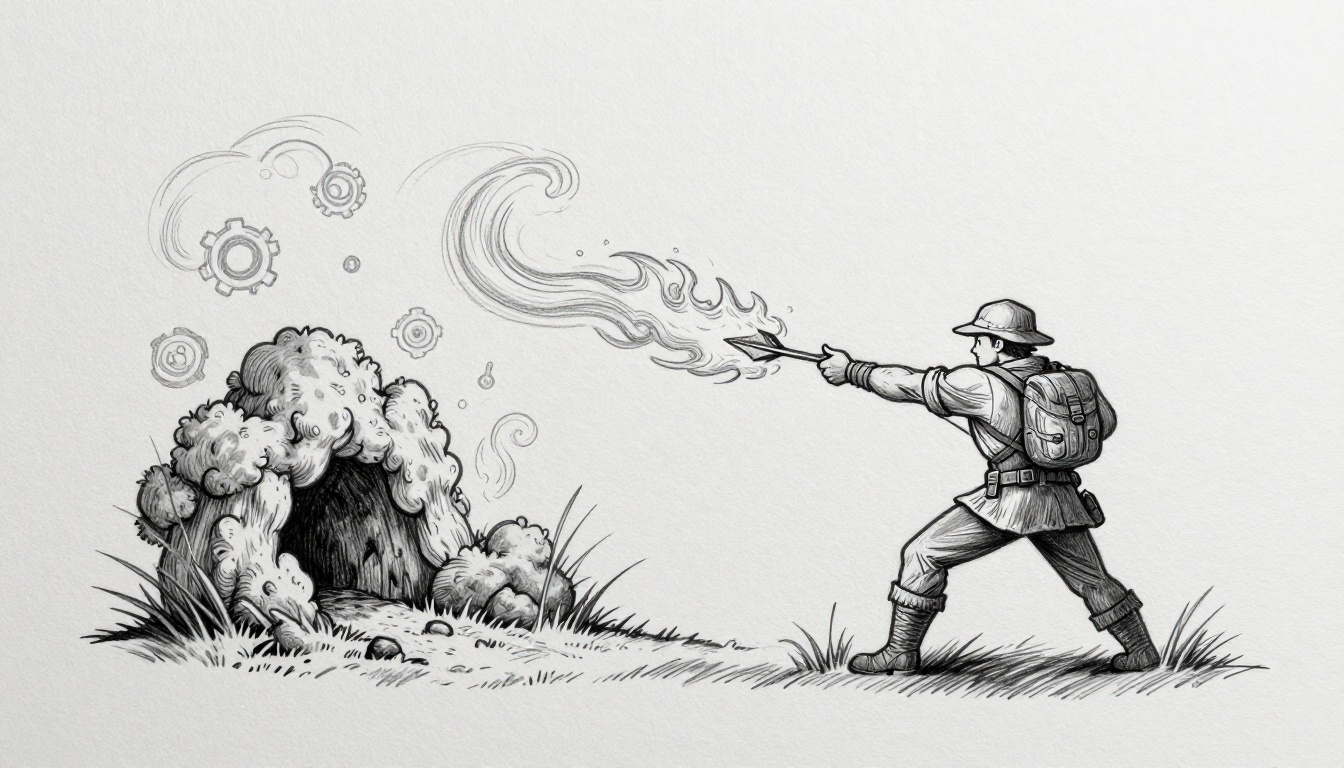
Imagine you’re Link in The Legend of Zelda: Breath of the Wild. You shoot a fire arrow at some dry grass to flush out a hidden Korok seed. Suddenly, flames leap to nearby bushes, roar across a field, and carve a smoky path that reveals a hidden cave. You never planned that; the game did.
That’s emergent gameplay in action. Simple rules, like fire spreading on dry fuel or wind rising from heat, mix to birth cool, unplanned moments. Players chase those surprises, and stories spread like wildfire online.
You’ve felt it, right? That rush when a game surprises you. Yet as a beginner game dev, you might think emergence needs genius-level code. It doesn’t. Basic systems interacting create alive worlds, boost replayability, and spark player tales without endless scripting.
Why chase emergence? Games like Minecraft thrive on it; one block placement cascades into epic builds or disasters. Players return because no playthrough repeats. You get that magic too, even starting small.
In this guide, we break it down. First, the basics of what makes systems spark emergence. Then, why certain combos work so well. You’ll see real examples from hits like No Man’s Sky and Terraria.
Next, hands-on steps to build your own interacting systems. We’ll cover tools in Unity or Godot that fit beginners. Finally, dodge common pitfalls, like overcomplicating rules.
By the end, you’ll know how to weave emergence into your games. Players will share their wild stories, and you’ll watch replays soar. Ready to light that first spark? Let’s dive into the basics.
What Makes Gameplay Emerge from Simple Rules?
You start with basic rules. Fire spreads on dry grass. Wind pushes flames higher. Players mix those rules, and surprises pop up. That’s emergence. Independent systems like physics, inventory, and AI bump into each other. They create moments no one scripted.
Think of kids on a playground. One child kicks a ball. Another swings high and bumps it mid-air. Chaos follows as everyone chases the wild path. No adult planned that fun. Simple actions interact, and variety explodes. Games work the same way.
Player agency lights the spark. You choose the arrow, the grass, the timing. Systems respond. Physics handles fire spread. Inventory limits your arrows. AI makes enemies flee or fight back. Overlaps build depth.
Picture this simple overlap diagram:
Physics --> Fire Spread
     |
Inventory --> Arrows + Fuel
     |
     v
AI --> Enemy Reactions
Arrows show interactions. One change ripples through others. Results feel fresh every time. You get endless variety. No two playthroughs match. Players share stories online, boosting your game’s life.
Spotting Emergence in Everyday Play
Spot it early. Look for unplanned combos. You drop a pot in Stardew Valley. A chicken pecks it, spilling seeds. Pigs root them up, starting a chain reaction. Pure accident, total delight.
Players share those tales. Check forums or Twitch clips. “I accidentally flooded my base!” screams replay value. You boot up again, hunting more mishaps.
Mixing paint offers a close analogy. Red plus blue makes purple. Add yellow, and surprises bloom: muddy brown or bright green. No recipe predicted it. Game systems interact like colors. Physics meets crafting. AI dodges the mess. Fresh outcomes emerge. Watch your playtests. If testers laugh at odd combos or replay levels, emergence thrives.
Emergent vs. Handcrafted Moments
Emergence scales forever. Scripted events lock in place. Choose wisely or mix them.
Emergence risks frustration. A combo backfires, and players quit. Scripted moments guarantee payoff but feel stiff after repeats.
Here’s a quick comparison:
| Aspect | Emergent Moments | Handcrafted Moments |
|---|---|---|
| Scalability | Infinite variety from rules | Fixed; repeats feel same |
| Reliability | Unpredictable; may frustrate | Always works; safe payoff |
| Player Agency | High; you drive surprises | Low; follows rails |
| Development | Simple rules, less work | Time-heavy scripting |
Emergence wins for longevity. Script it all, and boredom hits fast. Blend both for best results. Let rules handle basics. Add key scripted peaks. Players own the rest, so they return often.
Design Principles to Spark Interacting Systems
You want systems that surprise players. Start with core rules that beginners can grasp. These build emergence from basics. Follow them, and your game feels alive. Ignore them, and combos fall flat.
Here are four key rules:
- Keep systems simple and modular. Build small pieces that snap together. A jump mechanic pairs with grab-any-object code. Players throw chairs at foes. Modularity stacks options without crashes. Emergence grows as players test limits.
- Ensure loose coupling. Let systems touch lightly, not cling tight. Physics ignores inventory details. It just reacts to thrown items. Loose links mean one tweak ripples wide. Players find wild combos you missed.
- Add feedback loops. Create cycles where actions boost or curb results. A combo speeds you up, then slows if overdone. Loops make plays snowball or stabilize. Fun builds, but stays fair.
- Prioritize player input. Give tools, not scripts. Players mix fire and wind their way. Agency sparks stories. They own the magic.
Overdo complexity early, and prototypes bog down. Test small first. Grab Unity or Godot. They handle interactions out of the box. Unity’s physics components let objects stack naturally. Godot’s nodes signal loose ties. Prototype one rule per scene. Watch combos emerge.
Craft Rules That Flex and Combine
Modular rules bend without snapping. Design mechanics as blocks. They stack clean. Movement plus objects equals throwing puzzles. You grab a barrel. Physics takes over. It rolls downhill, smashes foes.
Why modularity? Tight code breaks on mixes. Loose blocks endure. Players chain jumps off thrown pots. No scripts needed.
Start in Unity. Add Rigidbody to items. Tag them “grabbable.” A simple script detects player input. Release, and physics flies. Godot shines here too. Use RigidBody2D nodes. Connect via signals. One line links grab to throw.
Test it. Drop crates near ledges. Players hurl them as bridges. Or bombs. Surprises pop. Keep rules under 50 lines each. Scale later.
Common pitfall: hard-coded limits. “Only rocks throw.” Ditch that. Let players decide. Modularity frees them.
Fuel Fun with Feedback Loops
Feedback loops amp excitement. Positive ones snowball. Chain enemy hits, gain speed. Combos explode. Negative loops check power. Too fast? Slippery ground slows you.
Balance keeps it fair. Positive loops reward skill. Negative ones stop exploits. Players push edges without rage quits.
Picture Terraria. Dig fast, find ores. More tools speed digs. Loop builds bases quick. But mobs swarm denser. Negative pull reins it.
Build in Godot. Use signals for loops. Kill enemy? Boost score multiplier. Hits taken? Cut it. Unity scripts track states. Update multipliers each frame.
Tune in playtests. Log loop strength. If runs end too soon, weaken negatives. Too grindy? Boost positives. Aim for 10-second peaks.
Loops shine in prototypes. Add one to your modular throw. Chain hits? Fire spreads faster. Watch testers grin at chains.
Hand Control to Players for True Magic
Agency turns rules into stories. Hand open tools, skip rails. Commands say “jump here.” Tools say “jump anywhere.”
Tools empower. Give a hookshot. Players swing across pits or yank foes. Commands lock paths. Boring repeats.
Breath of the Wild nails it. Magnets pull metal. Cook buffs anytime. Players invent climbs, fights. Pure magic.
Unity offers Input System. Map actions to tools. Godot’s input map shines for remaps. Prototype a grab tool. Pair with physics. Players improvise.
Stress loose ends. Tools overlap naturally. Grab plus fire? Fiery pulls. Players share clips.
Give control early. Prototype checklist:
- List 3 tools. Test mixes.
- Play 30 minutes. Note surprises.
- Tweak one loop per session.
- Share build. Count player stories.
Simple prototypes reveal gold. Complexity kills flow. Stick to basics. Your systems spark on their own.
Games That Prove Emergence Works Wonders
Great games prove it. Simple systems collide, and magic happens. Players invent tricks devs never dreamed. You see endless replays and viral clips. Let’s break down four standouts. Each shows systems at work. Beginners grab these ideas fast for their prototypes.
Minecraft: Infinite Builds from Basic Blocks
Minecraft starts with blocks. You place them. World gen fills caves and biomes endlessly. Crafting turns wood into tools. Those basics loop with survival. Mine ore by day. Build safe spots. Fight mobs at night. Loops tighten because mobs pathfind around your forts.
Redstone adds logic. Dust carries signals like wires. Mix it with repeaters and pistons. Players build doors, farms, even computers. One creeper blast topples a tower. Rubble clogs mob paths. You improvise traps on the fly.
Picture a screenshot: towering castle with redstone lamps glowing. Underground farm hums as pistons push crops. A player story sticks out. “I hid from skeletons,” one shared online. “Redstone trap fried them all. Diamonds funded my mega-base.” Search YouTube for “Minecraft redstone farms.” Clips show auto-chicken cookers feeding armies.
Beginners steal this. Code basic block stacking in Unity. Add simple AI that chases light sources. World gen via noise maps spits biomes. Your players chain farms into economies. No scripts needed. Interactions explode.
Breath of the Wild: Physics Party
Physics rules Hyrule. Grab metal boxes with Magnesis. Storm clouds roll in. Lightning zaps metal, frying foes. You stack chairs into towers. Wind gusts topple them onto camps. Elements join: fire arrows melt ice ramps. Water freezes into slides.
Cooking shines too. Mix raw meat, spicy peppers, Stamella Shrooms. Random buffs pop: heat resistance or speed bursts. No fixed recipes. Players test wild combos mid-hike.
Screenshot vibes: Link hoists a metal chest amid thunderheads. Bokoblins scatter as bolts strike. A fan tale: “I korok-bombed a shrine,” someone posted. “Box + lightning cleared guardians. Saved hours.” YouTube “BotW physics glitches” delivers. Watch barrels avalanche down hills.
You copy it easy. Unity’s physics handles stacks and grabs. Add weather states that interact. Inventory mixes yield buffs via tags. Players climb anything. Chaos rewards creativity.
Terraria: Biomes Meet Combat Chaos
Terraria digs deep. Procedural biomes spawn: forests teem slimes, deserts hide mummies. Combat tools come from digs. Biome loot crafts whips or guns. Fight a boss. It drops wings. Now fly over acid pools in hell.
Systems loop hard. Dig corrupt biomes. Hasty spreads. Build barriers or purge with purifiers. Mobs adapt; night hordes hit harder in blood moons.
Visualize a screenshot: pixel hero swings yo-yo in mushroom biome. Giant fungi loom as spores float. Player yarn: “Corruption ate my jungle,” one vented. “Boomerang chains cleared it. Found chlorophyte armor underneath.” Hunt YouTube “Terraria biome spreads.” Videos track invasions turning farms to wastelands.
Steal for beginners. Godot nodes gen chunks with rules. Enemies spawn by zone tags. Loot tables feed upgrades. Your caves birth strategies. Players fortify or raid smart.
Rocket League: Cars, Ball, Pure Mayhem
Cars chase a ball. Soccer rules apply loosely. Boost pads refill flips. Physics makes it wild. Wall-ride, aerial spike. Ball bounces off boosts unpredictably. Team passes chain into ceiling shots.
Collisions rule. Ram rivals mid-air. Ball pinballs. One flip seeds a demo chain.
Screenshot idea: rocket car twists upside-down, ball rockets goalward. Arena lights flare. A story resonates: “OT winner,” a pro recalled. “Teammate flip-reset fed me. Ball curved off wall.” YouTube “Rocket League insane goals” overflows. Clips dissect flips into math-defying saves.
Grab it quick. Unity vehicles plus sphere physics. Add boost pickups. Matches turn improv fests. Players master demos. Arenas live forever.
Build Your First Emergent System Step by Step
Ready to make your own? Pick two simple systems: gravity and wind. They push objects around in fun ways. Add lightweight items like leaves or boxes. Players toss them, and surprises happen. Wind gusts carry leaves high. Gravity pulls them into piles that block paths. Use free tools like Unity 2D or Godot. Bitsy works for tiny prototypes too. Start small. Test interactions right away.
Here’s a quick workflow diagram in text:
1. List Rules --> 2. Manual Sim --> 3. Code Basics
     |                    |              |
     v                    v              v
4. Playtest Wildly --> Iterate --> Share Jam Build
Follow this loop. It keeps you moving fast. Build in a weekend jam. Watch combos emerge.
Prototype Fast and Watch Interactions Unfold
First, list your rules clearly. Gravity pulls down at 9.8 speed. Wind blows left or right with random gusts. Objects have mass; light ones fly farther. Write them on paper. Keep each under one sentence.
Next, simulate by hand. Grab paper and markers. Draw a scene: player throws a leaf. Wind shifts it sideways. Gravity arcs it down onto a foe. Sketch five throws. Note wild paths. Does wind flip heavy boxes? Players might stack leaves as ramps. This spots issues before code.
Then, code the basics. In Unity 2D, add Rigidbody2D to objects. Set gravity scale. Create a wind script: apply force based on direction. Godot uses RigidBody2D nodes. Connect wind area to body entered signal. Bitsy skips code; tweak tiles for wind paths. Aim for 20 lines total.
Finally, playtest wildly. Run the build. Throw 50 items. Time sessions to 10 minutes. Ask friends to try blind. What combos show? Leaves block wind, creating dead zones? Log every surprise. One tester stacked gusts to glide across levels. That’s gold.
Repeat the loop. Tweak one rule per test. Your system lives.
Common Fixes for Dull or Broken Emergence
Combos feel flat? Tweak sliders first. Add randomness to wind direction; 20% variance prevents repeats. Limit gust strength so players predict some paths. Heavy objects ignore weak winds. Test ratios until balance hits.
Broke interactions? Check overlaps. Gravity too strong crushes wind fun. Dial it to 70% default. Code clamps: if wind force tops 5, cap it. Players still improvise without chaos.
Visuals give feedback. Color wind zones blue. Leaves trail particles on gusts. Unity’s ParticleSystem or Godot’s GPUParticles2D shine here. Players see invisible forces. One blue swirl, and they experiment more.
Troubleshoot like this:
- Dull plays: Boost randomness. Roll dice in code for gusts.
- Broken physics: Log forces. Unity debugger shows values live.
- No agency: Add player wind control. Hold button for mini-gusts.
Iterate quick. Run three tests per fix. Join a small jam on itch.io. Share your gravity-wind toy. Feedback pours in. Players report: “Piled leaves trapped my buddy!” Polish those tales into core fun. Your first system hooks them.
Pitfalls Beginners Hit and How to Avoid Them
You build your first prototype, and it fizzles. Combos feel forced or frustrating. Beginners often chase emergence but stumble on basics. However, you fix these fast with simple checks. Let’s cover the top five pitfalls, plus fixes and examples. Spot them early, and your systems shine.
Overloading with Too Many Systems
You add physics, AI, weather, crafting, all at once. Chaos hits; nothing interacts clean. Players quit confused.
Keep it to two or three systems max at first. For example, pair wind and gravity only, like in your prototype. Test throws. Once stable, layer inventory. Godot handles this with node groups. Result? Clear combos emerge without overload.
Skipping Balance Between Systems
One system dominates. Wind shoves everything; gravity ignores it. Plays turn predictable or broken.
Tune interactions with sliders. Set wind force to half gravity’s pull. Playtest 20 throws. In Unity, tweak Rigidbody mass values live. Balance lets players predict basics but find surprises. Terraria nails this; digs reward but mobs push back fair.
Ignoring Edge Cases
Rare mixes crash or bore. Heavy box in max wind? Game freezes. Light leaf in no wind? Useless.
Hunt edges manually. List 10 weird throws: max speed into wall, zero mass gusts. Code clamps, like force caps at 10 units. Unity’s debug console logs them. Fix before polish. Players trust stable worlds.
Weak Feedback on Interactions
Players miss magic. Wind gusts? No whoosh or trails. They ignore tools.
Add visuals and sounds quick. Use ParticleSystem for leaf swirls in Unity. Godot’s GPUParticles2D shows gust zones. Audio cues boost hits. One tester said, “Now I see wind paths; stacking leaves clicks.” Feedback turns blind tests into “aha” moments.
Over-Reliance on Luck
Random gusts rule every throw. Skill vanishes; frustration builds.
Mix control with chance. Let players aim wind direction 70%, randomize 30%. Hold button for steady gusts. Rocket League boosts work this way; pickups add flair without dominating. Agency keeps players hooked.
Run this quick audit checklist after each test:
- Count systems: Under four?
- Balance test: 50/50 win rate on throws?
- Edge sim: 10 cases pass?
- Feedback clear: Testers name three combos?
- Skill focus: Pros outperform newbies by 2x?
Even pros like Minecraft devs iterate endlessly. They patch exploits yearly. You will too. Spot these pitfalls now, and your emergence sticks. Players share stories instead of bugs. Next, scale smart.
Conclusion
Simple rules spark emergent gameplay. You mix physics with player tools, and surprises emerge. Players own those moments because agency drives the fun.
Modular systems and feedback loops keep it balanced. Test small prototypes first. They reveal combos fast without overload.
Start your tiny prototype today. Grab Unity or Godot, code wind and gravity in 20 lines. Share it on itch.io for feedback.
What tools work best? Unity or Godot handle basics smooth. How long until results? Playtests show magic in one weekend.
Your game births legendary tales next. Players stack leaves into ramps or chain gusts for glides. Simple interactions create stories that spread.
Ready for procedural worlds? Explore that next. Those build on your rules for endless variety.